Welcome to Law Depot

Updated: Jul 27
LawDepot offers legal forms in minutes with high-quality, easy-to-use, and completely customizable legal documents and templates.*
All you need is a Monroe County Public Library card. Here's how you can get started, either on your browser or your phone.
On your browser
Go to LawDepot on our website
Here is a direct link.
If you don't have this link, you can find it by going to keyslibraries.org and clicking on the card for Online 24/7 eLibrary near the top of the site.


Look for the card for LawDepot and click on Visit Resource.
Click on LawDepot

Unless you are logged in to the Libby app on your computer, you will need to click on the ADD CARD button.

Click Sign In With My Card to add your card, just like you would add it to the Libby app on your phone or other device.
Enter the card number on the back of your library card, all 14 digits with no spaces.
Your PIN, or password, is usually the last four digits of the phone number on your library account. If you can't remember your PIN, you can reset it here.

This is what it will look like when you're successfully signed in.

Now you're good to go with LawDepot!

You'll get 30 days of access to LawDepot’s extensive library of documents and legal resources provides easy-to-use assistance with a wide range of legal needs empowering patrons to create legal documents specific to their personal situation.
After that 30-day period is up, your documents will still be there if you log in again with your library card.
On your phone
Download the Libby app

You can find the Libby app in the app stores for Google Play, Apple App Store, and the Amazon App Store. You can also use Libby with your computer browser: just go to libbyapp.com
Now you're ready to start borrowing! All you need from here is your library card number and your PIN.
Find the Library on Libby

Libby will ask you to find us. Here's a
tip: Search by ZIP code, NOT by our name (Monroe County Public Library). Why not? Well, it turns out there are 17 different states in the Union with a Monroe County. If you use the ZIP code, you will be sure to find us. Don't worry about which branch pops up – we share our Libby collection across the Keys, just like we do with our physical books and DVDs.
Log in to Libby

Now you can log in with your library card number – that's the 14-digit number printed beneath the bar code on your library card.
Enter that number with with NO SPACES.
Even if you have created a username for your library account, you still need the card number to log in with Libby.
Enter your PIN

Now you need to enter your PIN. Generally, the PIN is the last four digits of the phone number on your library account.
If you can't remember or you want to reset it, you can do that here.
Questions? You can contact us here.

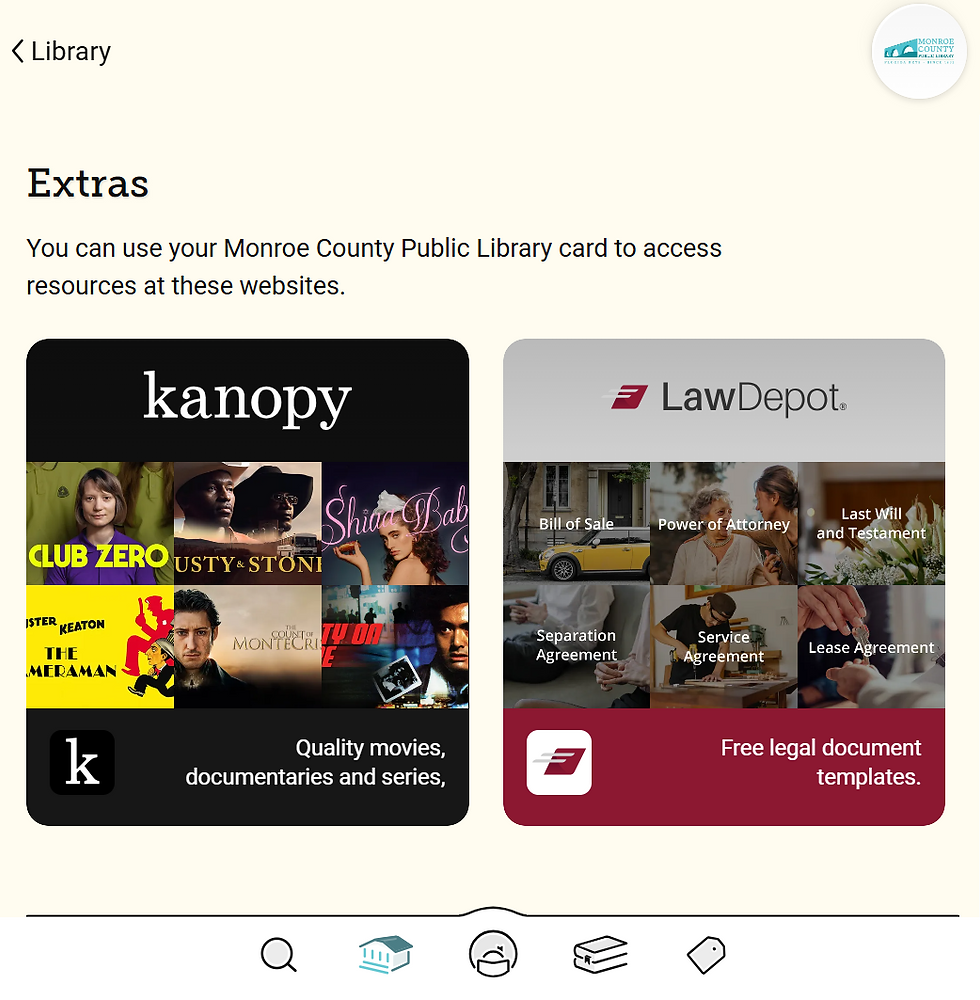
Once you're logged in to Libby, scroll down until you see Extras.
Click on LawDepot. Then click on GET.

You're in! Now you can explore the documents and other services available.
*DISCLAIMER: LawDepot provides legal document templates and guided forms. It is not a substitute for advice from an attorney. Library staff can help with access and printing but cannot provide legal advice or recommend which document to use.
Questions?
If you're having trouble with Libby, the service has an excellent help page. Check there to see if they have the answer to your questions. Here is the LawDepot help page.
Ask us! You can contact us here.